Getting Started
Signing Up
To create an account, visit the Sign Up page and fill in your details:
- Email — Used for login and notifications. Must be unique.
- Full Name — Your display name throughout the application.
- Password — Choose a strong password.
After submitting the form, you'll receive a verification email. Click the link in the email to activate your account. Check your spam folder if you don't see it within a few minutes.
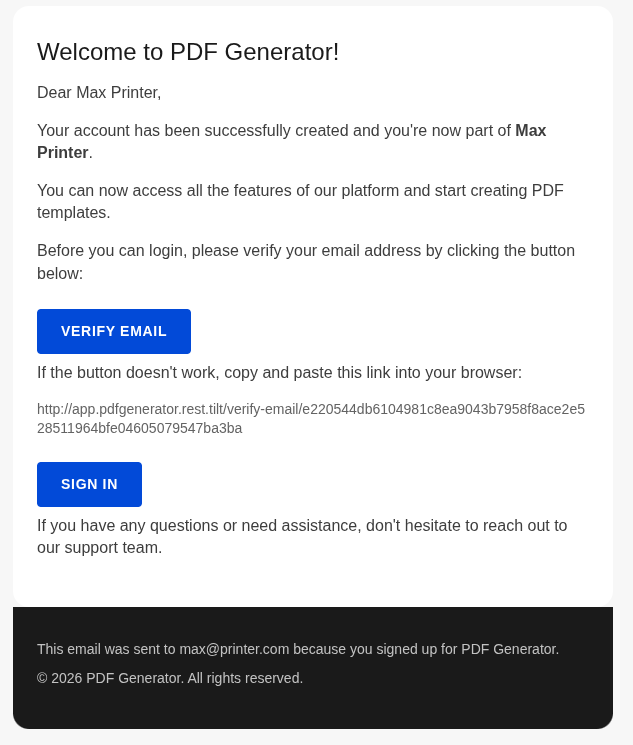
Invite Flow
If you've been invited to join an organization, you'll receive an email with an invitation link. Clicking it takes you to the sign-up page with your email and organization pre-filled. Complete the form to accept the invitation and join the team.
Dashboard Overview
After signing in, you land on the Templates dashboard — the central hub for PDF generation. From here you can:
- Browse your existing templates
- Click a template to start generating a document
- Search templates by name
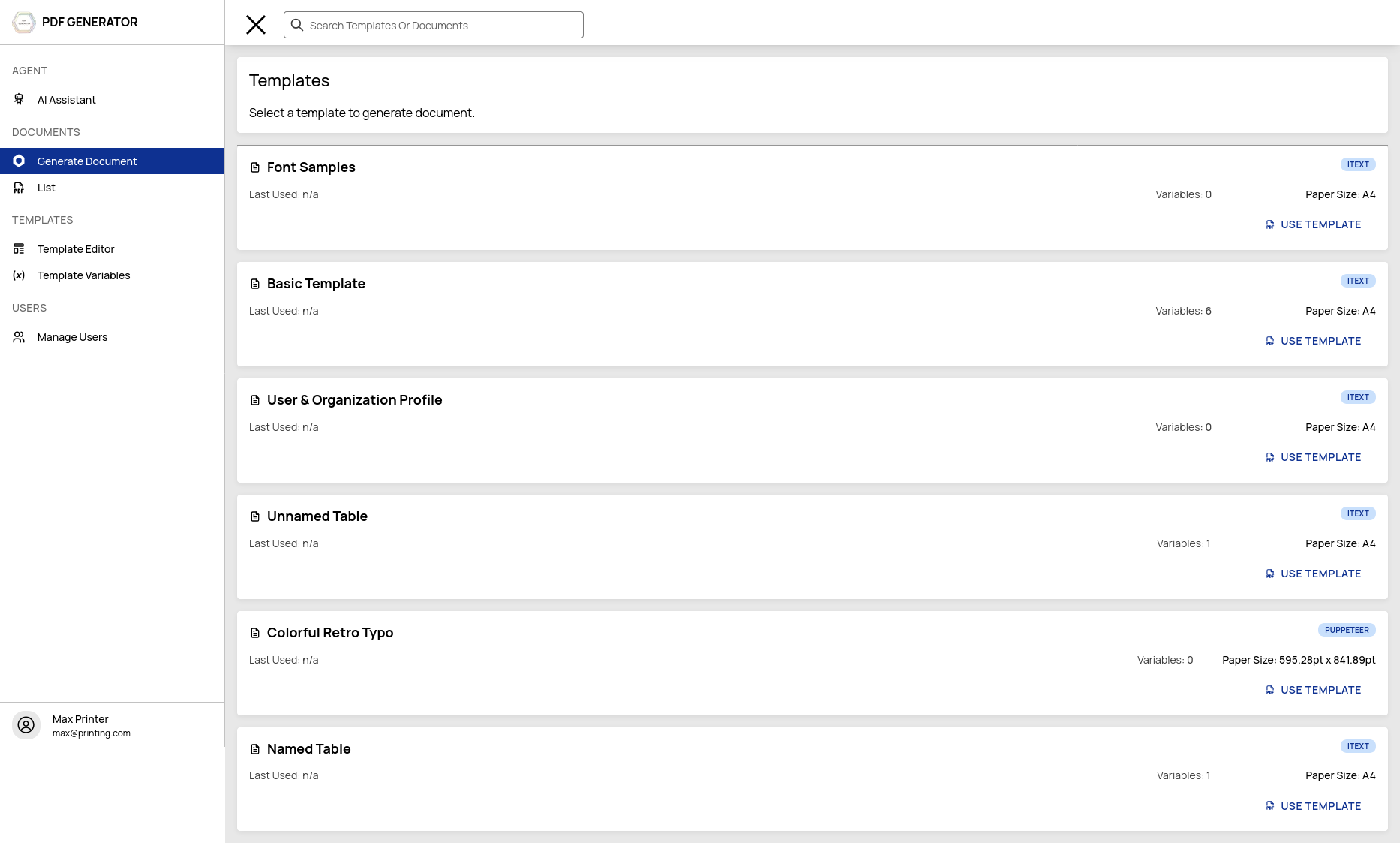
Navigation
The sidebar provides access to all areas:
| Section | Purpose |
|---|---|
| Templates | Browse templates and start document generation |
| Document History | View previously generated PDFs |
| Template Editor | Create and edit templates (Admin only) |
| Template Variables | Manage variable definitions (Admin only) |
| Users | Manage team members (Admin only) |
| Profile | Account settings, credits, API keys |
| AI Assistant | Chat with the AI agent |
Your First PDF
Here's the quickest path to your first generated PDF:
- Create a template — Go to Template Editor, click "New Template", give it a name, and choose a page size (e.g. A4).
- Open the editor — Click on your template to open it. You'll see the code editor with a default HTML file.
- Edit the HTML — Write or paste your HTML content. Use
{{ variableName }}placeholders where you want dynamic data. - Define a variable — Go to Template Variables, create a new variable matching your placeholder name.
- Generate — Go back to Templates, click your template, fill in the variable value, and click "Generate".
- Download — Your PDF is ready! Download it from the document history.
This is a simplified overview. Each step is covered in detail in the sections below:
- Creating and managing templates →
- Using the template editor →
- Working with variables →
- Generating documents →
Subscription Tiers
PDF Generator offers four plans to match your needs:
| Plan | Monthly Price | Templates | Documents/Month | AI Credits |
|---|---|---|---|---|
| Free | $0 | 3 | 25 | 300 (one-time) |
| Bronze | €5 | 20 | 100 | Credit packs |
| Silver | €10 | 50 | 500 | Credit packs |
| Gold | €25 | 100 | 2,000 | Credit packs |