Account Settings
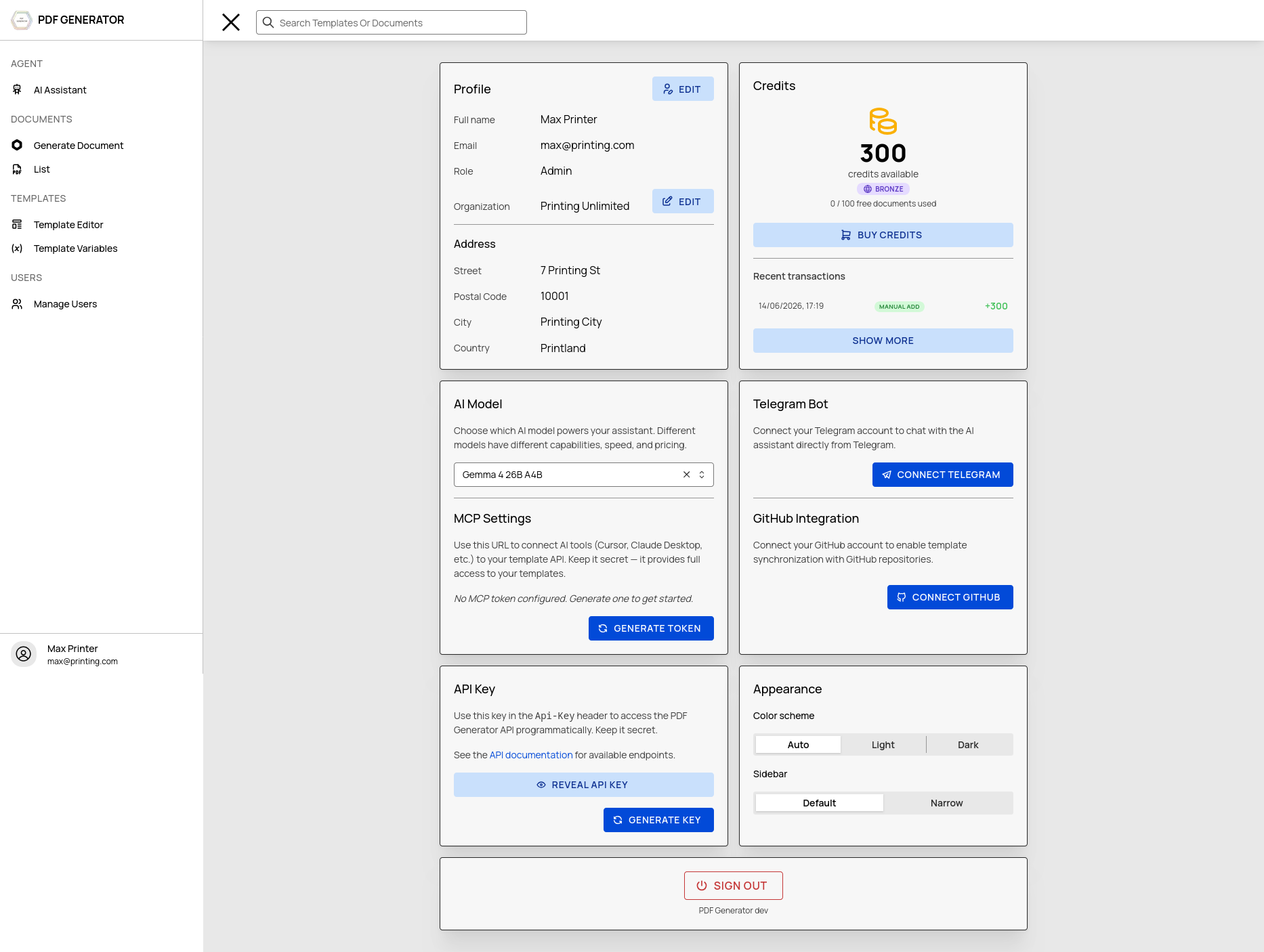
Manage your profile, API keys, credits, subscription, and integrations from the Profile page.
Profile Details
Navigate to Profile → Details to edit your personal information:
- Full name
- Email (shown, not editable)
- Password (change by entering current + new password)
- Address fields (street, city, postal code, country)
API Keys
API keys allow programmatic access to the PDF Generator REST API. Navigate to Profile → API Keys.
Generating a Key
Click Generate API Key. The key is shown once — copy and save it immediately. Keys are stored as SHA-256 hashes and cannot be retrieved later.
Using Your Key
Include the key in the Api-Key header of your API requests:
Api-Key: pk_your_api_key_here
Security
- Keys are user-specific, not shared
- Generate a new key to invalidate the old one
- Only one active key per user
Credits & Subscription
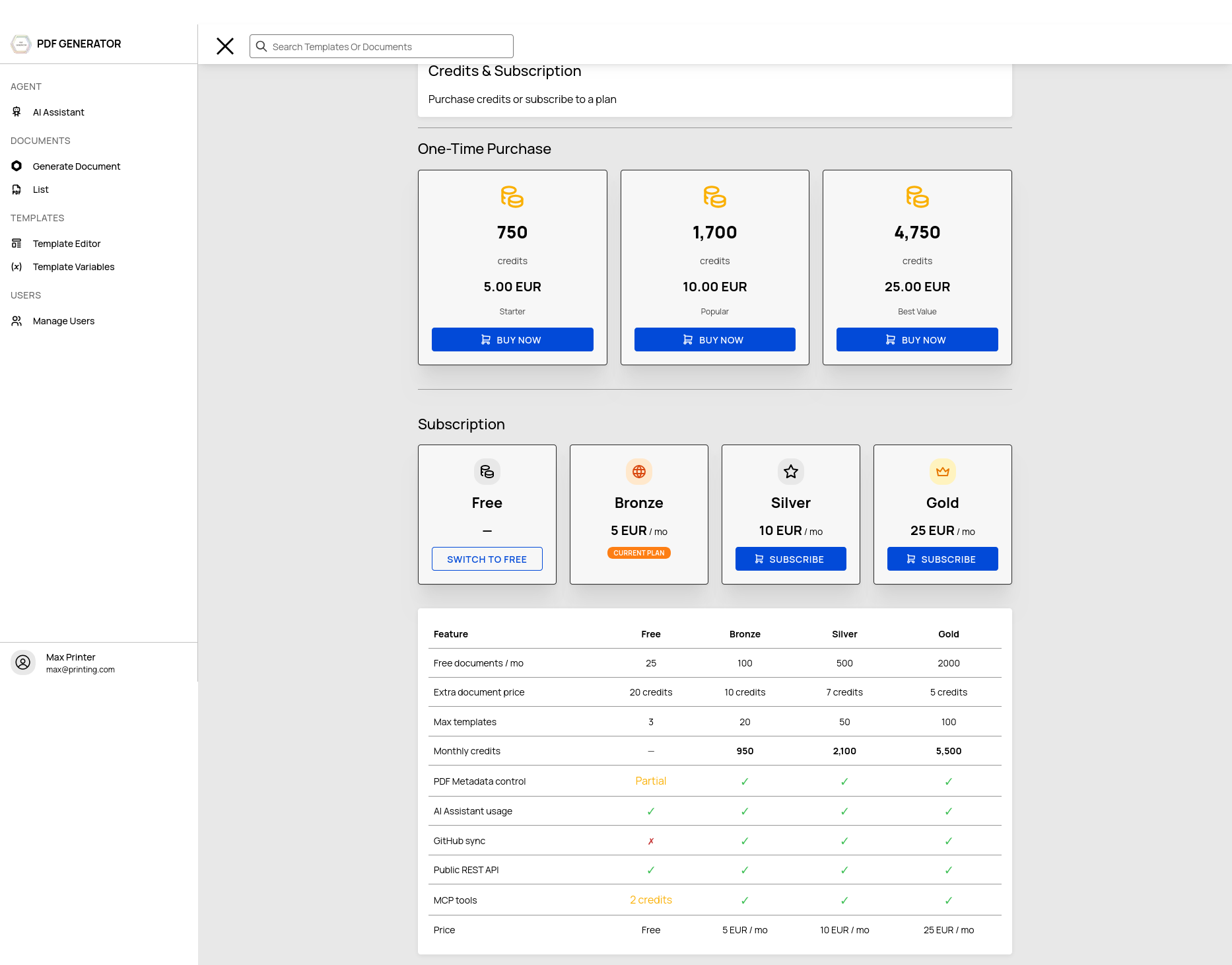
Navigate to Profile → Credits to manage your plan and purchase credits.
Viewing Balance
Your credit balance is shown at the top of the page, along with recent transactions.
Subscription Plans
| Plan | Monthly Price | Templates | Documents/Month |
|---|---|---|---|
| Free | $0 | 3 | 25 |
| Bronze | €5 | 20 | 100 |
| Silver | €10 | 50 | 500 |
| Gold | €25 | 100 | 2,000 |
Credit Packs
Purchase additional credits for AI usage and over-quota document generation:
| Pack | Price | Credits |
|---|---|---|
| Small | €5 | 750 |
| Medium | €10 | 1,700 |
| Large | €25 | 4,250 |
Payments are processed securely via Stripe. After purchase, credits are added to your balance immediately.
Transaction History
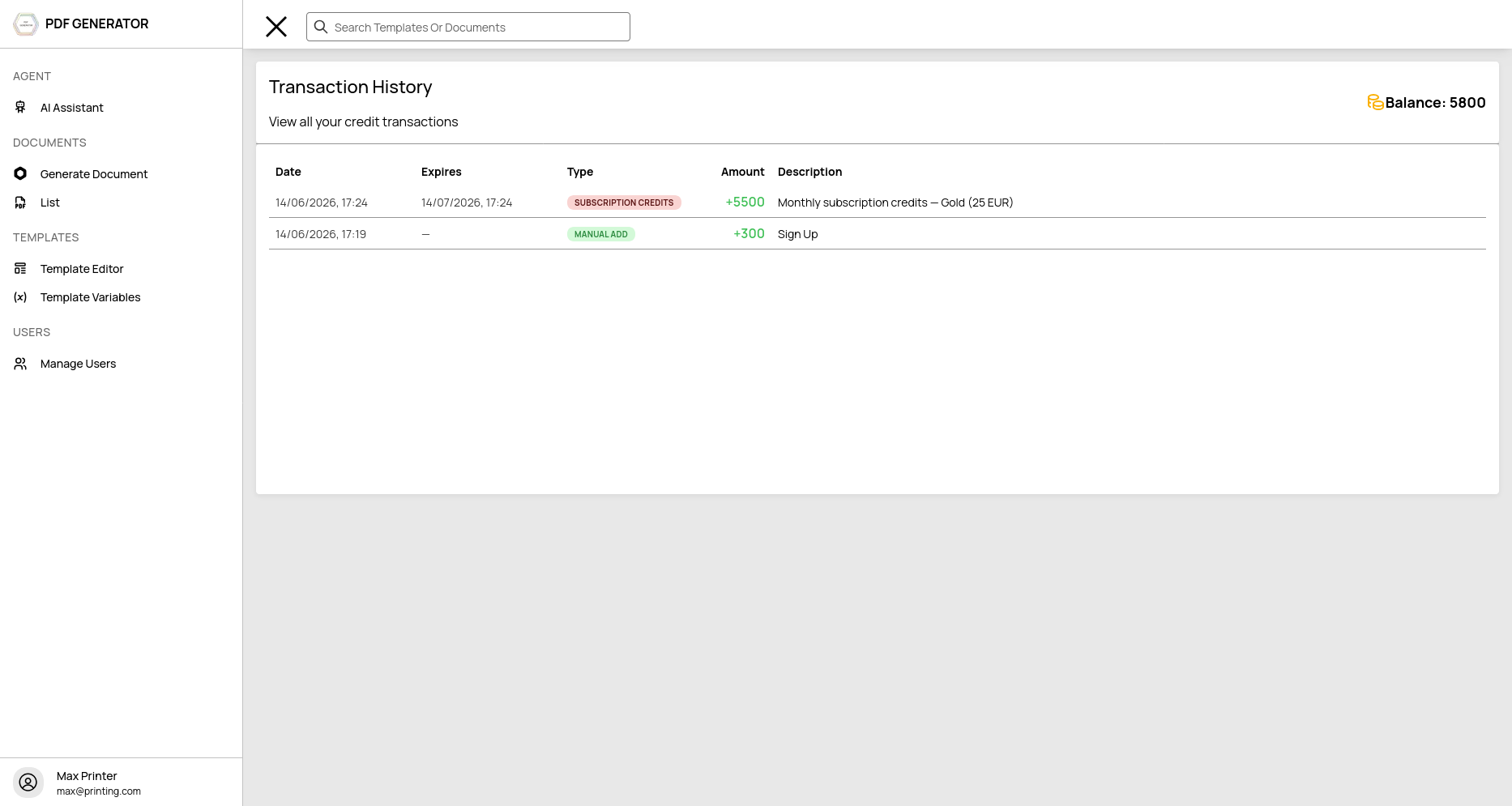
Navigate to Profile → Transactions to view all credit transactions:
- Date and description
- Transaction type (purchase, usage, bonus)
- Amount (positive for credits added, negative for usage)
- Expiry date (if applicable)
- Running balance
GitHub Connection
Connect your GitHub account from Profile → GitHub Settings (Admin only):
- Click Connect GitHub Account
- Authorize the OAuth application
- Your GitHub username and scopes are displayed
Once connected, you can configure GitHub sync for individual templates. Learn more about GitHub Sync →
Theme
Toggle between Light and Dark mode from Profile → Appearance. The setting is saved to your account and persists across sessions.
MCP Token
The MCP (Model Context Protocol) token allows AI clients like Cursor and Claude Desktop to interact with PDF Generator. Generate a token from the MCP settings section in your profile.
Learn more about the MCP Server →
Sign Out
Click Sign Out at the bottom of the Profile page to end your session.