Google Fonts
PDF Generator mirrors the entire Google Fonts catalog to your cloud storage. Browse, preview, and insert fonts into your templates — all from within the editor.
Browsing Fonts
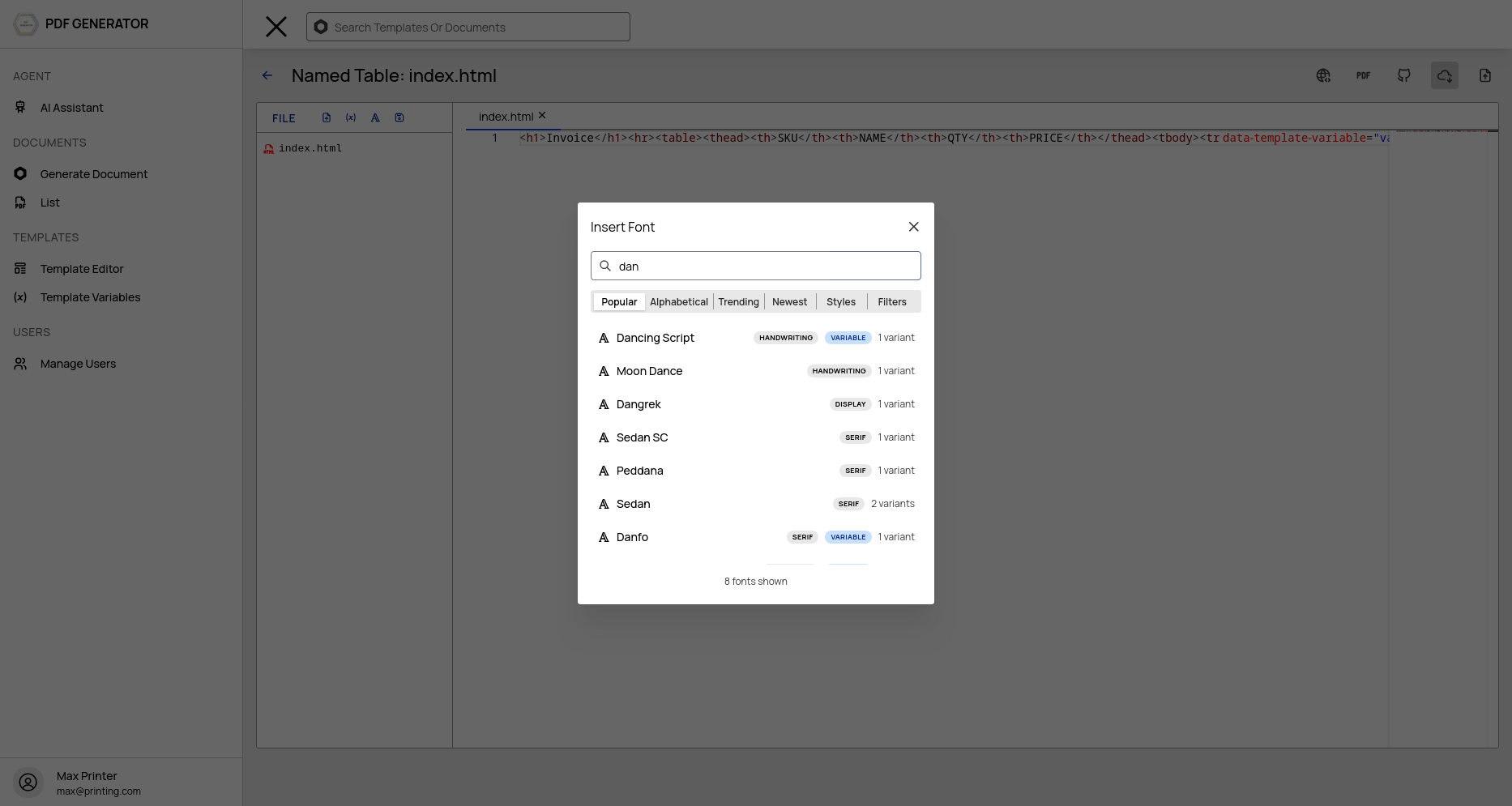
Open the font picker by clicking the font icon in the editor toolbar. The modal has two states: search and variant selection.
Searching Fonts
The font list shows all available Google Fonts with:
- Search — Type to filter by font family name
- Sort options — Sort by popularity, trending, style, alphabetical, or date added
- Infinite scroll — Scroll to load more fonts as you browse
- Category filter — Filter by serif, sans-serif, display, handwriting, monospace
Selecting Variants
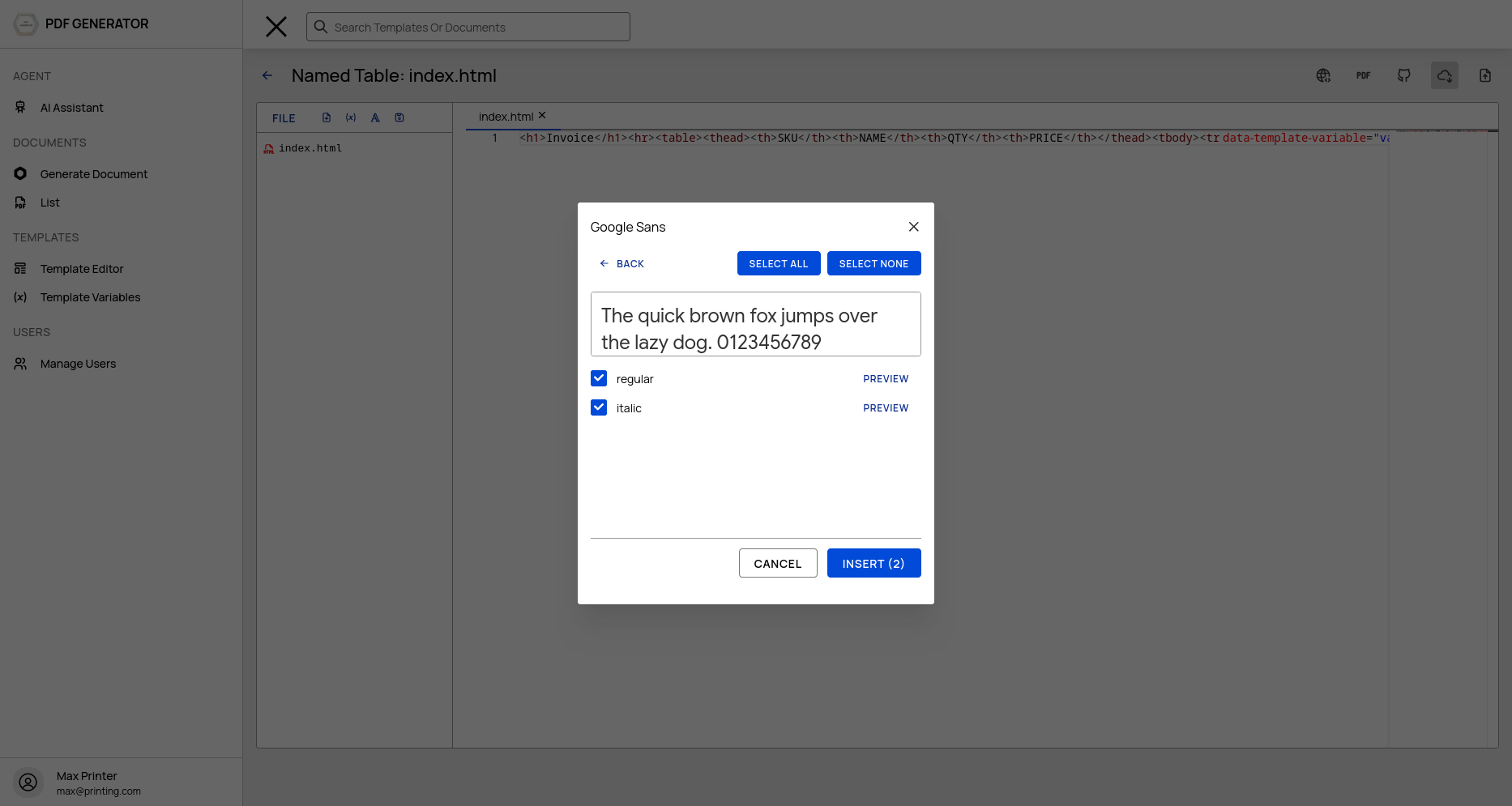
Click a font to open the variant selection view:
- Preview iframe — See the font rendered in real time using Google CDN
- Variant checkboxes — Select which weights and styles to include
- Select All / None — Quickly toggle all variants
- Variable fonts — For variable fonts, each selected axis combination generates a separate @font-face rule
Inserting @font-face CSS
After selecting variants, click Insert. The system:
- Generates @font-face CSS — Properly formatted CSS rules with correct font-weight and font-style
- Injects into the editor — CSS is inserted into a
<style data-fonts="managed">block in your HTML - Mirrors font files — Font files are copied from Google Fonts to your S3 storage
CSS Output
Static fonts — One @font-face rule per selected variant:
@font-face {
  font-family: 'Open Sans';
  font-style: normal;
  font-weight: 400;
  src: url('/fonts/Open Sans/OpenSans-Regular.ttf');
}
Variable fonts — One @font-face rule per selected axis combination:
@font-face {
  font-family: 'Inter';
  font-style: normal;
  font-weight: 100 900;
  src: url('/fonts/Inter/Inter-VariableFont.ttf');
}
Font files are served from /fonts/{family}/{filename} — backed by your cloud storage, so there's zero dependency on Google at render time.
Font Management
Mirrored Fonts
Once a font is mirrored, its files live in your S3 storage. The font is available for all templates in your organization without needing to mirror again.
Font Availability
Fonts are served publicly — no authentication required for font file requests. This means fonts work in:
- Template previews
- Rendered PDFs
- External systems consuming your templates
Removing Fonts
Managed font blocks in your HTML are wrapped in <style data-fonts="managed">. To remove a font, delete its @font-face rule from the style block or remove the entire block.
Best Practices
- Only mirror what you need — Each mirrored font variant consumes storage. Select only the weights and styles you actually use.
- Use variable fonts — For modern PDF renderers, variable fonts provide weight flexibility with a single file.
- Pre-mirror fonts — Mirror fonts before generating documents to avoid on-demand mirroring latency.
- Check font licenses — All Google Fonts are open source, but verify licenses for your use case.