Organization & Team
Organizations let you collaborate with team members. Templates, variables, and documents are shared within your organization.
Organization Structure
Each user belongs to one organization. When you sign up, an organization is created automatically. The organization:
- Owns all templates, variables, and documents
- Has a name and optional address/contact details
- Supports multiple members with different roles
Roles
Admin
Organization admins have full access:
- Create, edit, and delete templates
- Manage template variables
- Generate and download documents
- Invite new team members
- Manage organization settings
- Access all API endpoints
New signups default to the Admin role in their own organization.
User
Regular users have read and generation access:
- Browse templates
- Generate and download documents
- View template variables
Users cannot create or modify templates, variables, or manage team members.
Super Admin
Super admins are system-level roles for enterprise deployments:
- Access ALL organizations and users
- Bypass template and document limits
- Manage system-wide settings
Super admin is assigned at the database level — not through the UI.
Inviting Team Members
To add someone to your organization:
- Navigate to Users from the sidebar
- Click Add User → Invite via Email
- Enter the invitee's email address
- Select their role (Admin or User)
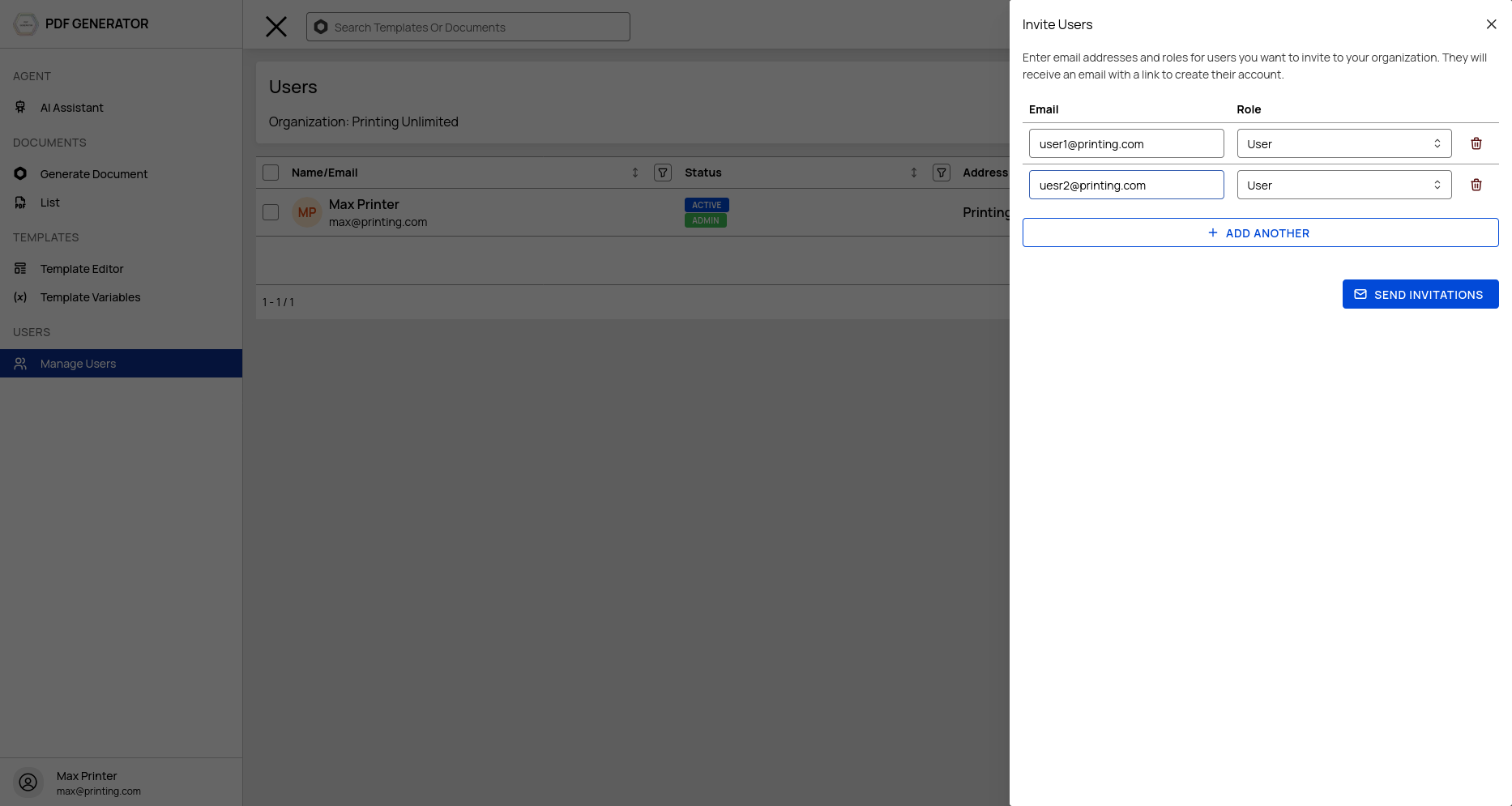
The invitee receives an email with an invitation link. When they click it, they're taken to the sign-up page with their email and organization pre-filled. After completing sign-up, they join your organization.
Managing Members
Users Page
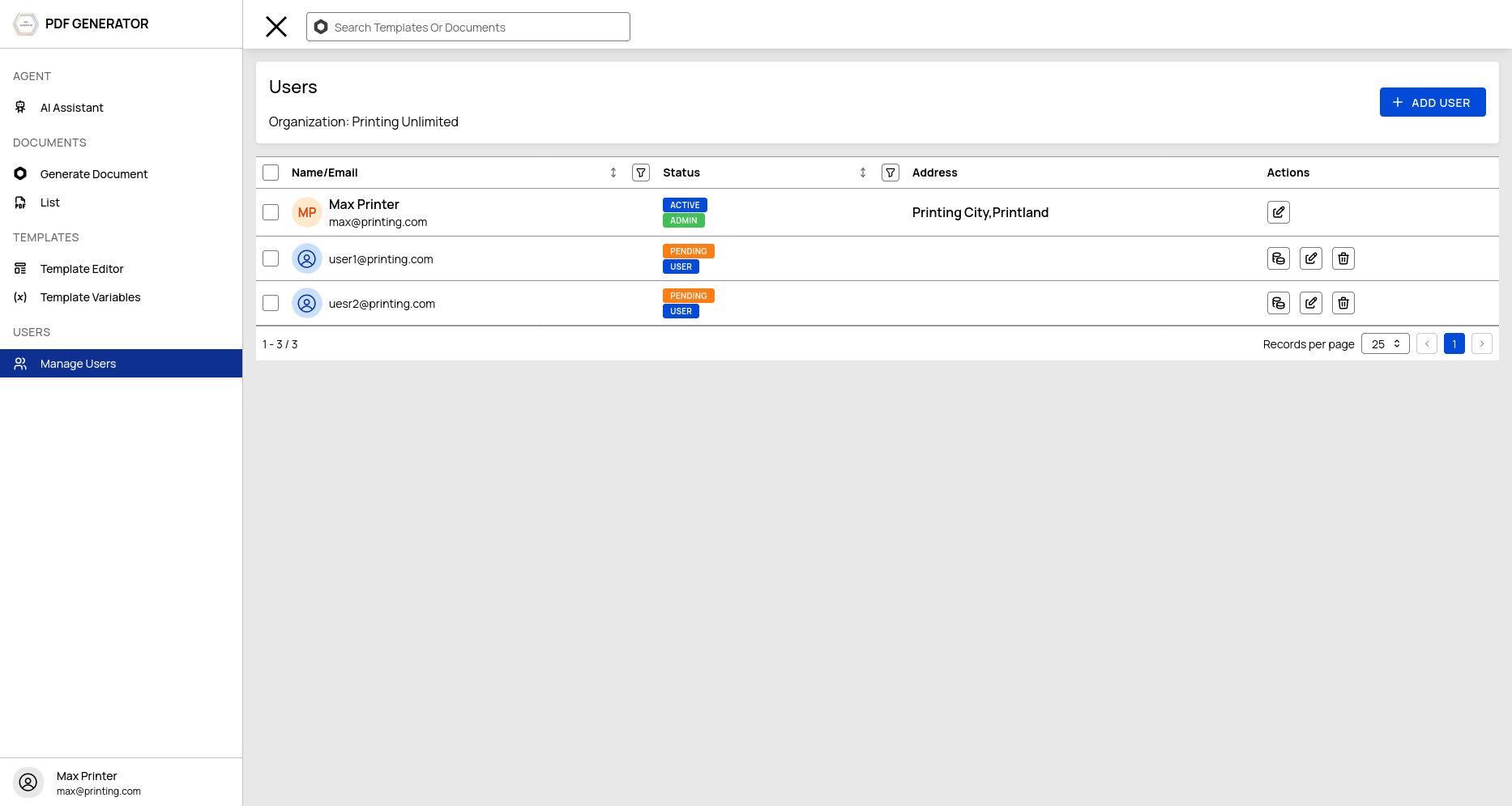
The Users page shows all members of your organization with:
- Name and email
- Role (Admin / User)
- Account status (Active / Pending / Disabled)
Admins can:
- Change a member's role
- Disable or re-enable accounts
- Invite new members
Profile → Organization
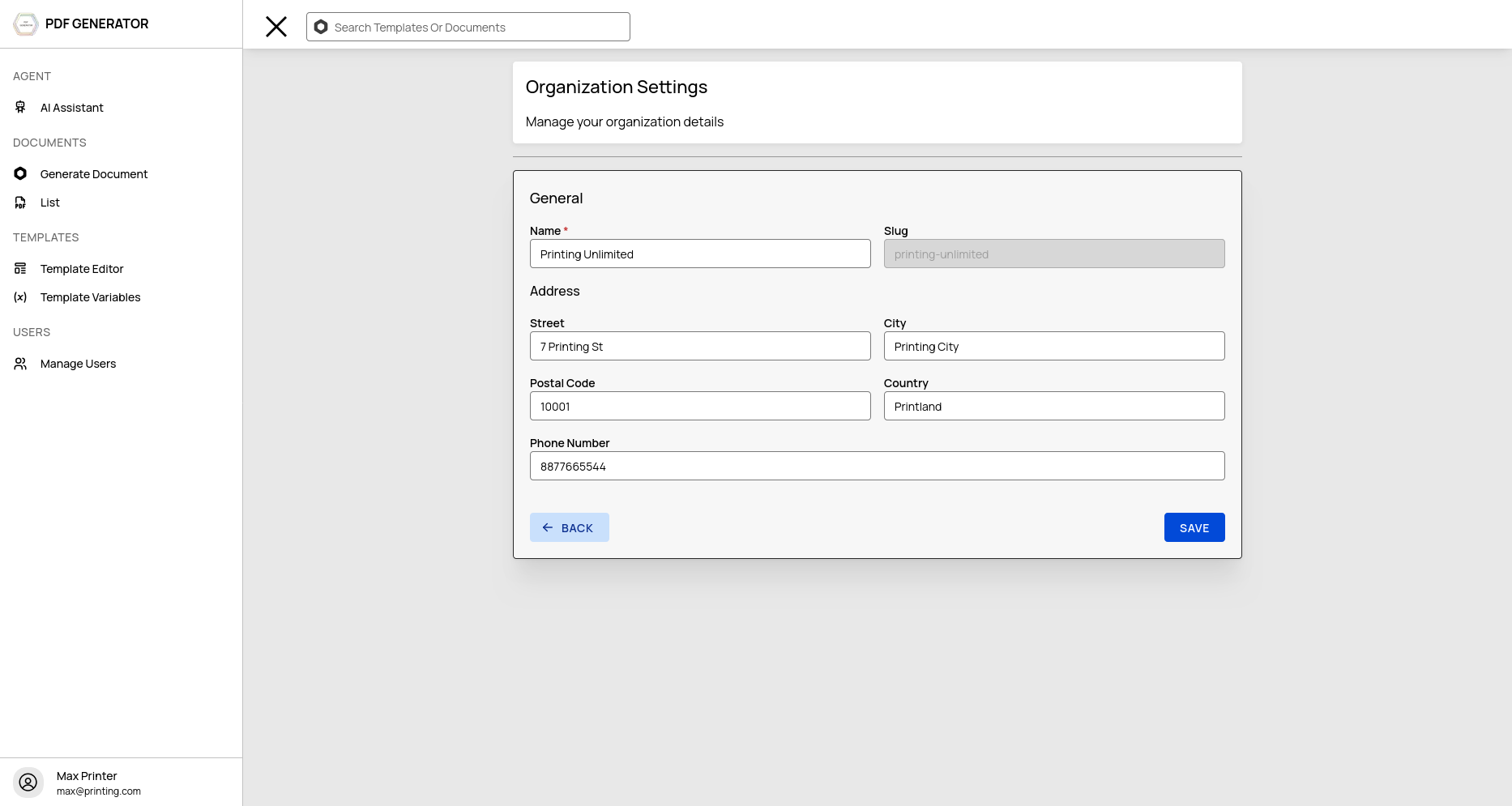
Admins can edit organization details from Profile → Organization:
- Organization name
- Phone number
- Street address
- City
- Postal code
- Country
These details are used by the predefined organization.* variables available in templates.
Shared Resources
Everything in the organization is shared:
- Templates — All members see the same templates
- Variables — Variable definitions are shared across the org
- Documents — Generated documents are visible to all members
- Fonts — Mirrored fonts are available org-wide
Security Notes
- Only admins can modify templates and variables
- API keys are per-user, not per-organization
- GitHub connections are per-user
- AI assistant credits are tracked per-user